
Muse & AI · AI images & effects
Build a Unicorn with New YouTube Shorts Generative Effects
By Justin Rosales · July 25, 2025 · 26 sec
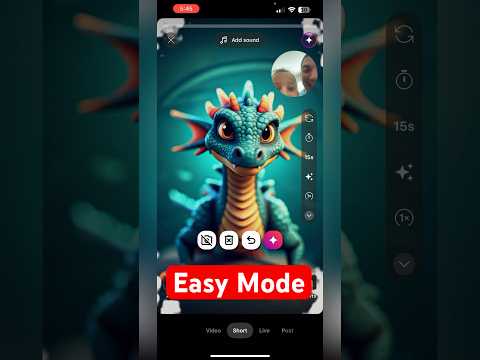
Unlock the power of AI in YouTube Shorts and bring your drawings to life with this incredible new feature! Watch as my 5-year-old daughter turns her simple unicorn drawing into an amazing, AI-generated masterpiece in seconds. It's fun, easy, and the results are magical.
How to turn your drawing into AI art in YouTube Shorts:
1. Open the YouTube Shorts camera.
2. Click on the Effects icon
3. Select the AI Background tool (often called "Dream Unicorn").
4. Draw a unicorn
5. Watch the magic happen!
6. Hit Subscribe for more cool tricks like this.
Up next
All AI images & effects →

Fruitful
Every Saturday morning: one thing we've tried and trust, plus the week's Faith by Fire.
Free. One email every Saturday. Unsubscribe anytime.
Related searches
Read the transcript
Auto-generated transcript. It may contain mistakes.
Here's how to transform your drawing into a unicorn using new YouTube shorts feature. Jemma, go ahead and draw your unicorn right on the screen. Okay. Yep. Good. Good job. Love it. Jemma's 5 years old doing this. Good, Jemma. Nice. I like the horn. Okay. Now, push the Google button. Let's see what happens. All right. I wasn't jungle, but it looks amazing. I love it.
Comments
Everyone who visits this page can see what you post. Comment guidelines